
Spell-check your file names
PROMOTIONAL TEXT
Typos hiding in your Finder? Name Check shows misspelled file and folder names in red and fixes them everywhere at once. Scanning is free; try everything free for 2 days.
KEYWORDS SEO
rename,typo,typos,batch,bulk,folder,organize,cleanup,tidy,misspelled,title case,proofread,renamer
DESCRIPTION
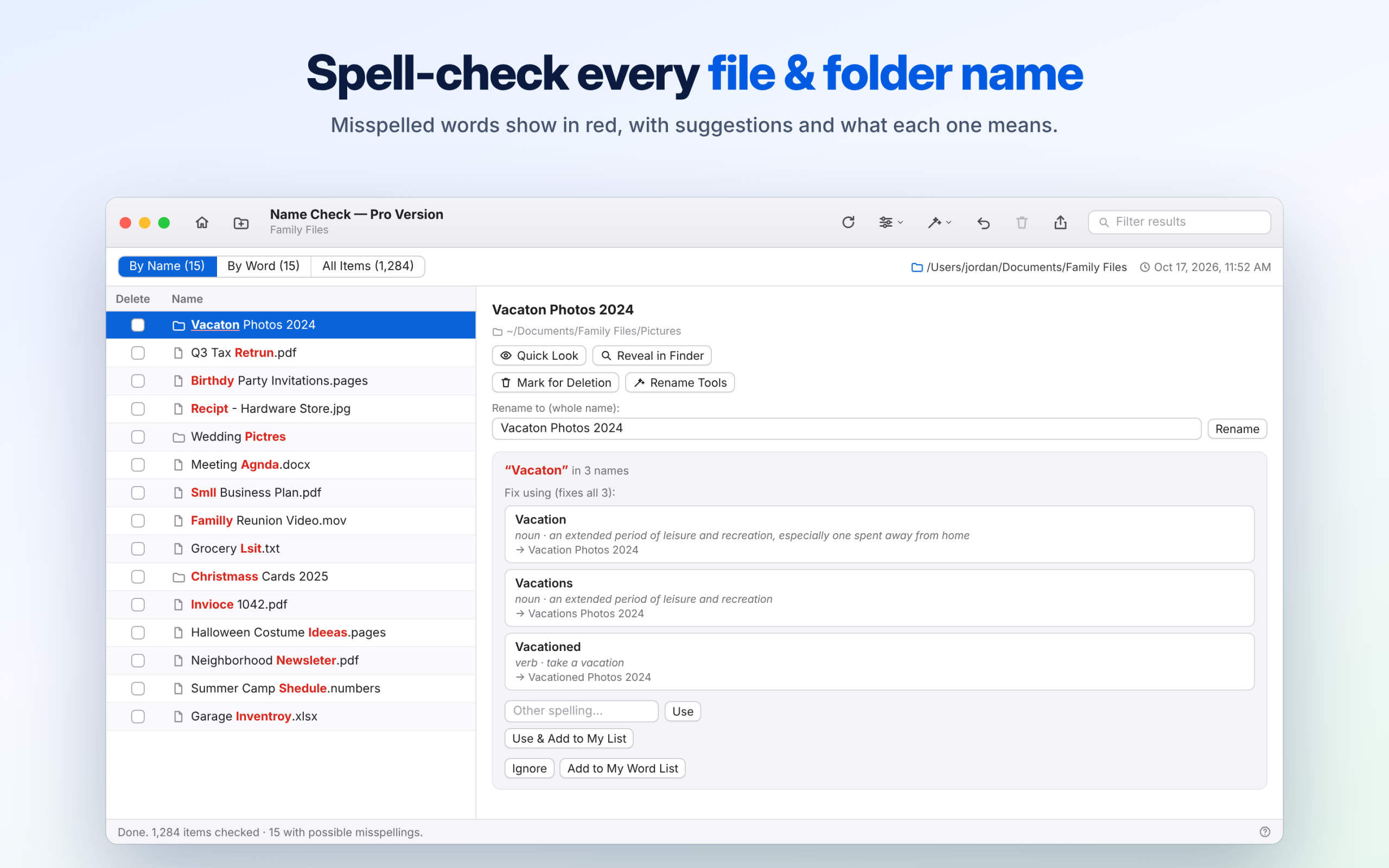
Typos hide in file names. “Vacaton Photos,” “Q3 Tax Retrun,” “Birthdy Party.” They make files harder to find and look careless when you share them. Name Check spell-checks the names of your files and folders and fixes them in a click.
FIND EVERY MISSPELLED NAME
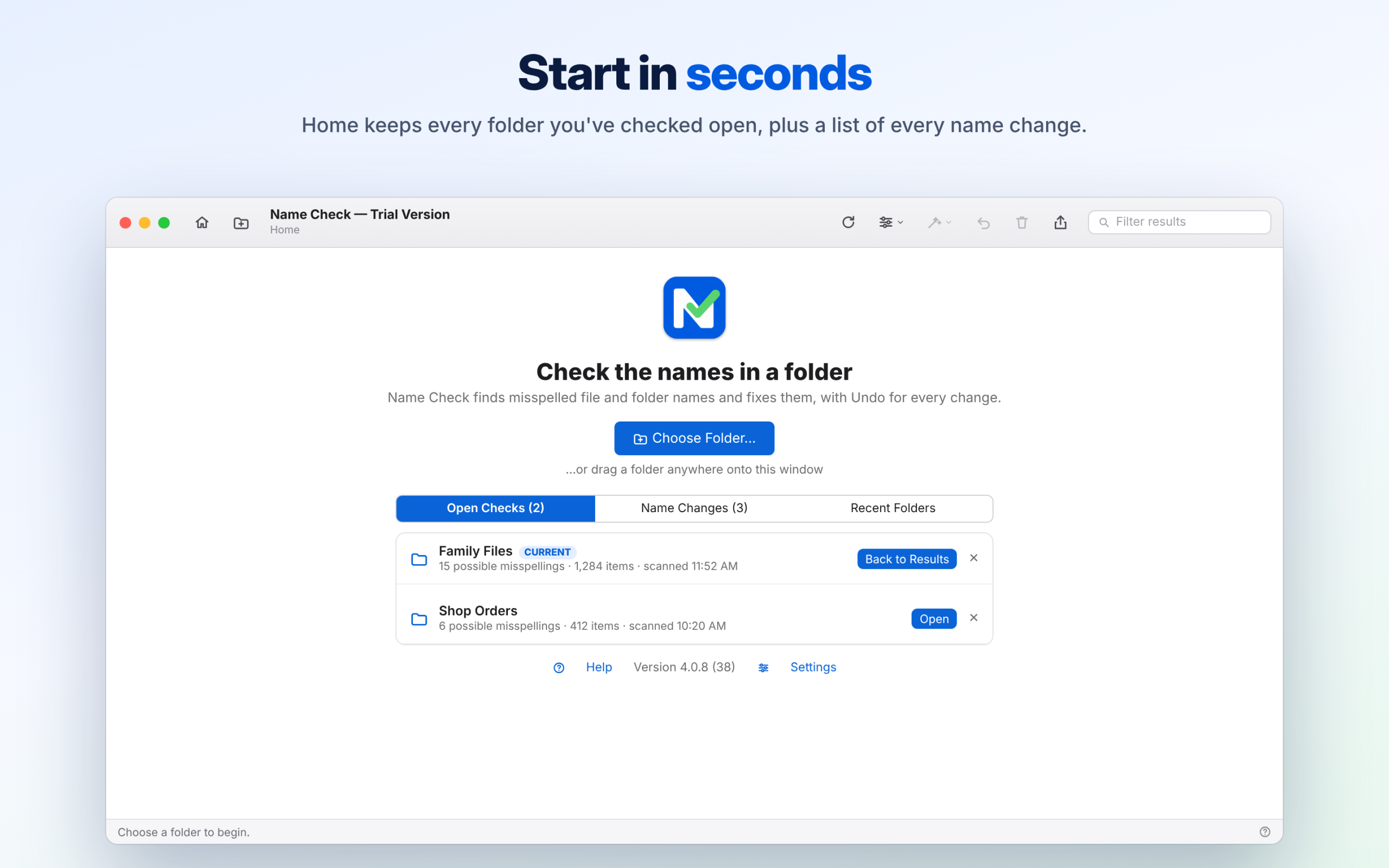
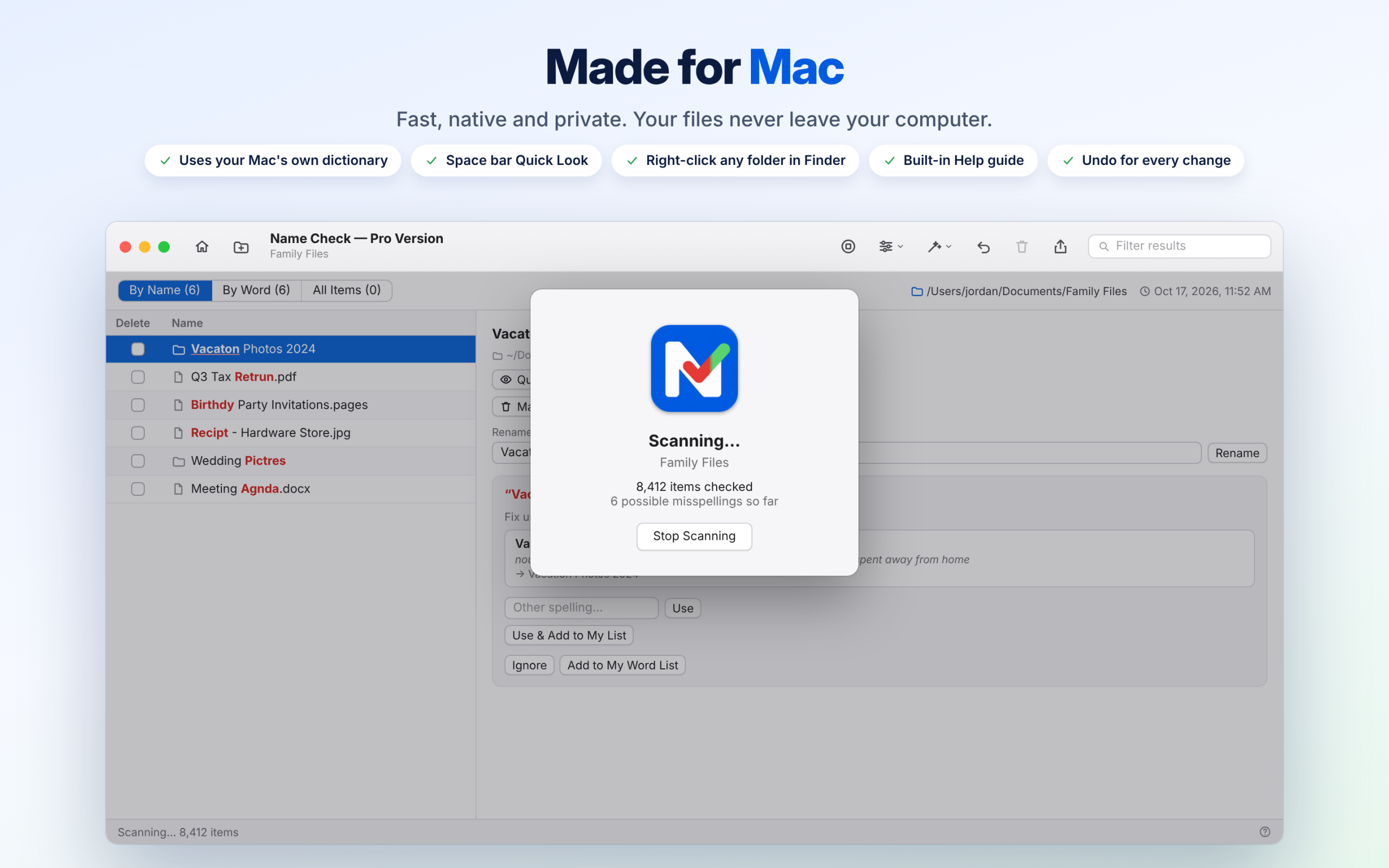
Choose a folder, drop one on the window, reopen a recent one, or right-click any folder in Finder. Name Check uses your Mac’s own dictionary to check every name, including everything in subfolders, and lists what it finds with suggested spellings.
PICK THE RIGHT WORD
Every suggestion shows the complete new name and a short definition from your Mac’s Dictionary, so you can tell “desert” from “dessert” before you rename anything.
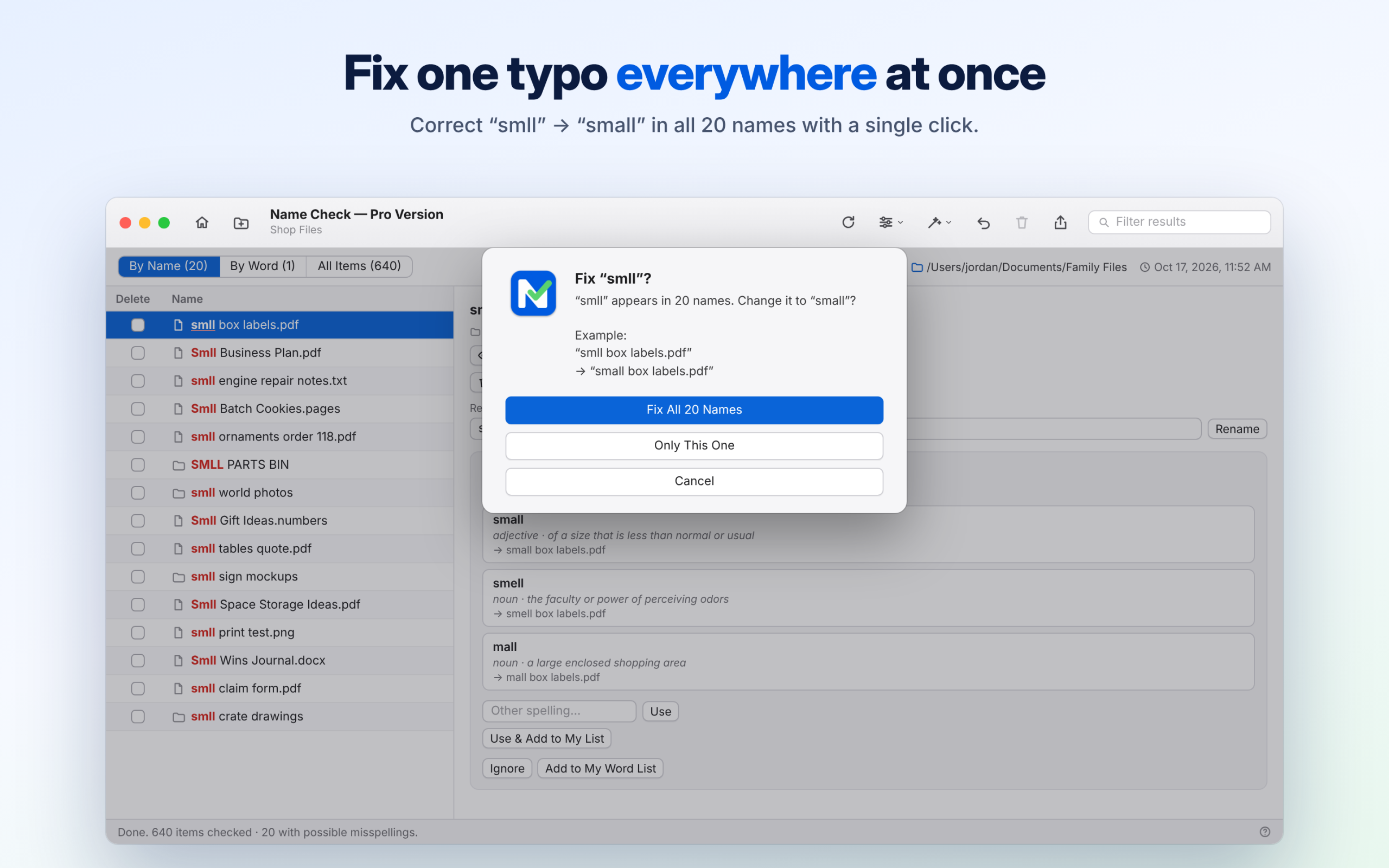
FIX ONE TYPO EVERYWHERE AT ONCE
Spelled “small” as “smll” in 20 file names? Fix all 20 with a single click. Names with several mistakes get a checkbox for each word, so you can correct them all in one go. Capitals are kept (Smll becomes Small), only whole words change, and file extensions are never touched.
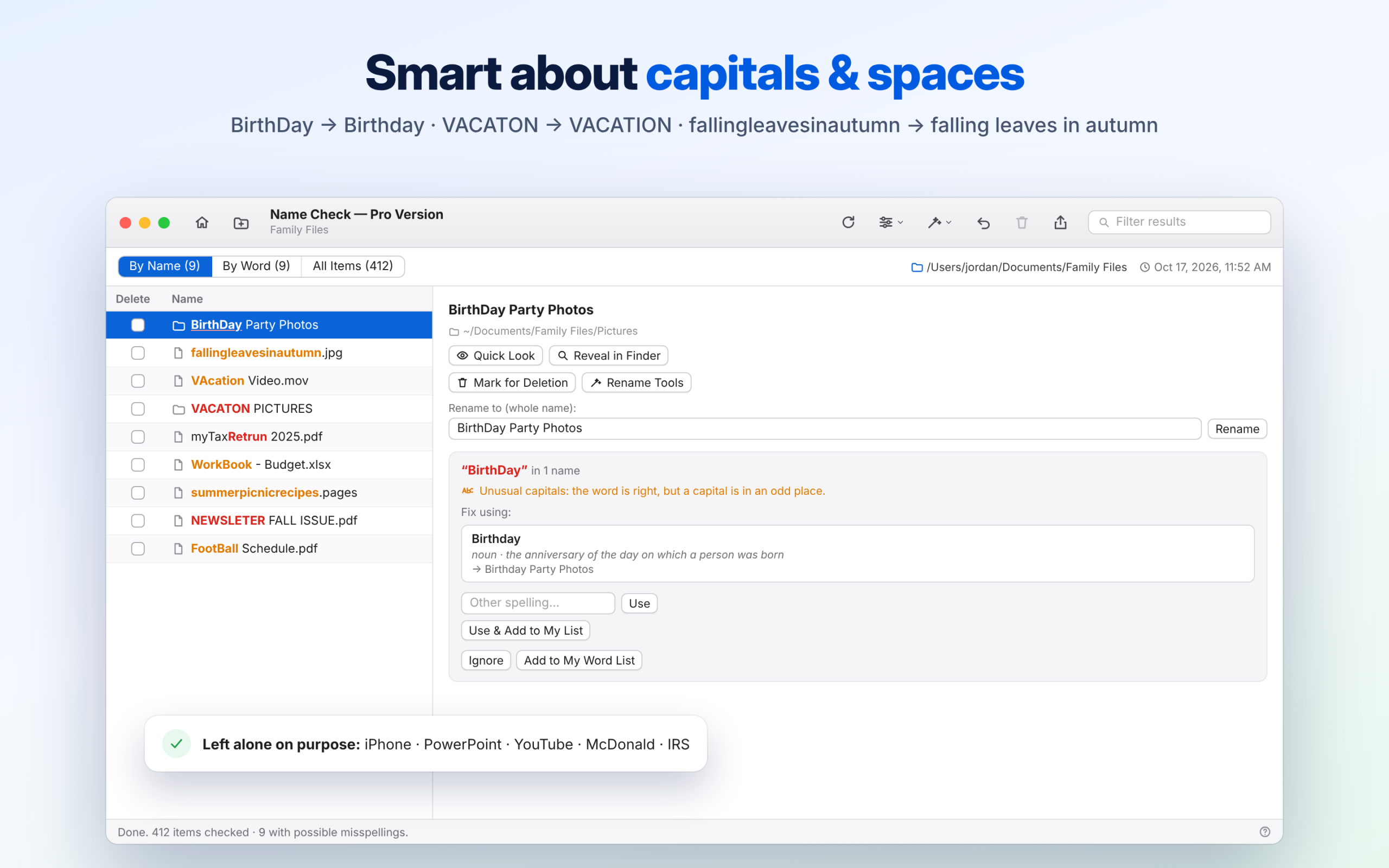
SMART ABOUT CAPITALS AND SPACES
Name Check reads words joined with capitals (myTaxRetrun), catches capitals in the wrong place (BirthDay, VAcation), checks misspelled ALL-CAPS words (VACATON), and spots words run together (fallingleavesinautumn → falling leaves in autumn). Brand names such as iPhone and PowerPoint, and acronyms like IRS, are left alone.
POWERFUL RENAME TOOLS
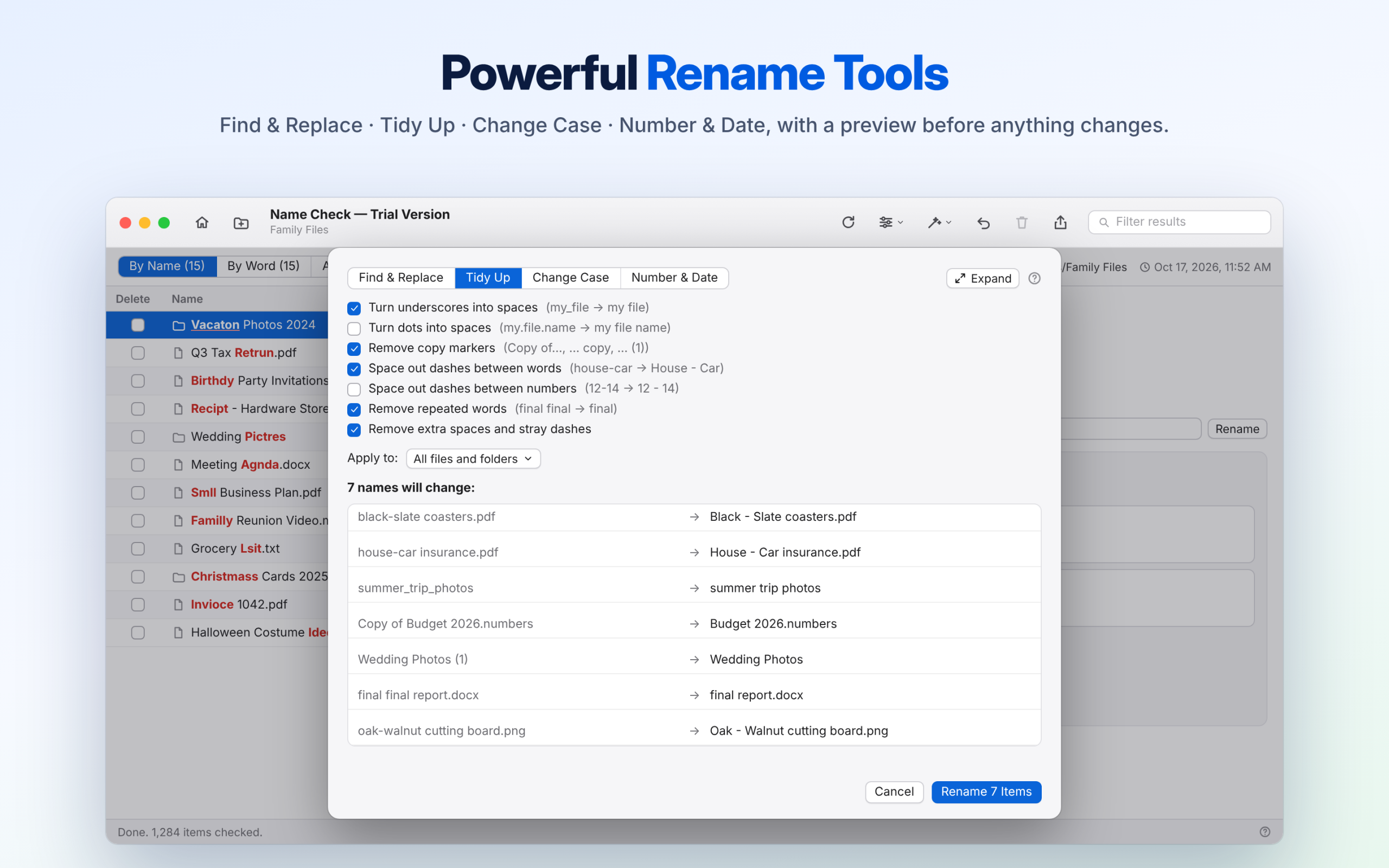
• Find & Replace: change or remove any text across many names.
• Tidy Up: underscores to spaces, remove “copy” and “(1)”, drop repeated words and extra spaces, and space out dashes (house-car → House – Car).
• Change Case: Title Case, Proper Case, Sentence case, UPPER CASE or lower case.
• Number & Date: add 001, 002… or the date a file was created or modified.
Every tool previews each change before anything is renamed.
EASY TO FIND YOUR WAY AROUND
• A clean Mac toolbar, with every scan setting in one Scan Options menu.
• Misspelled words show in red right inside each file name.
• Three lists: By Name, By Word and All Items. Switch with ⌘1 – ⌘3.
• Press Space to preview any file with Quick Look, just like in Finder.
• Hover over any shortened name to see it in full.
CLEAN UP SAFELY
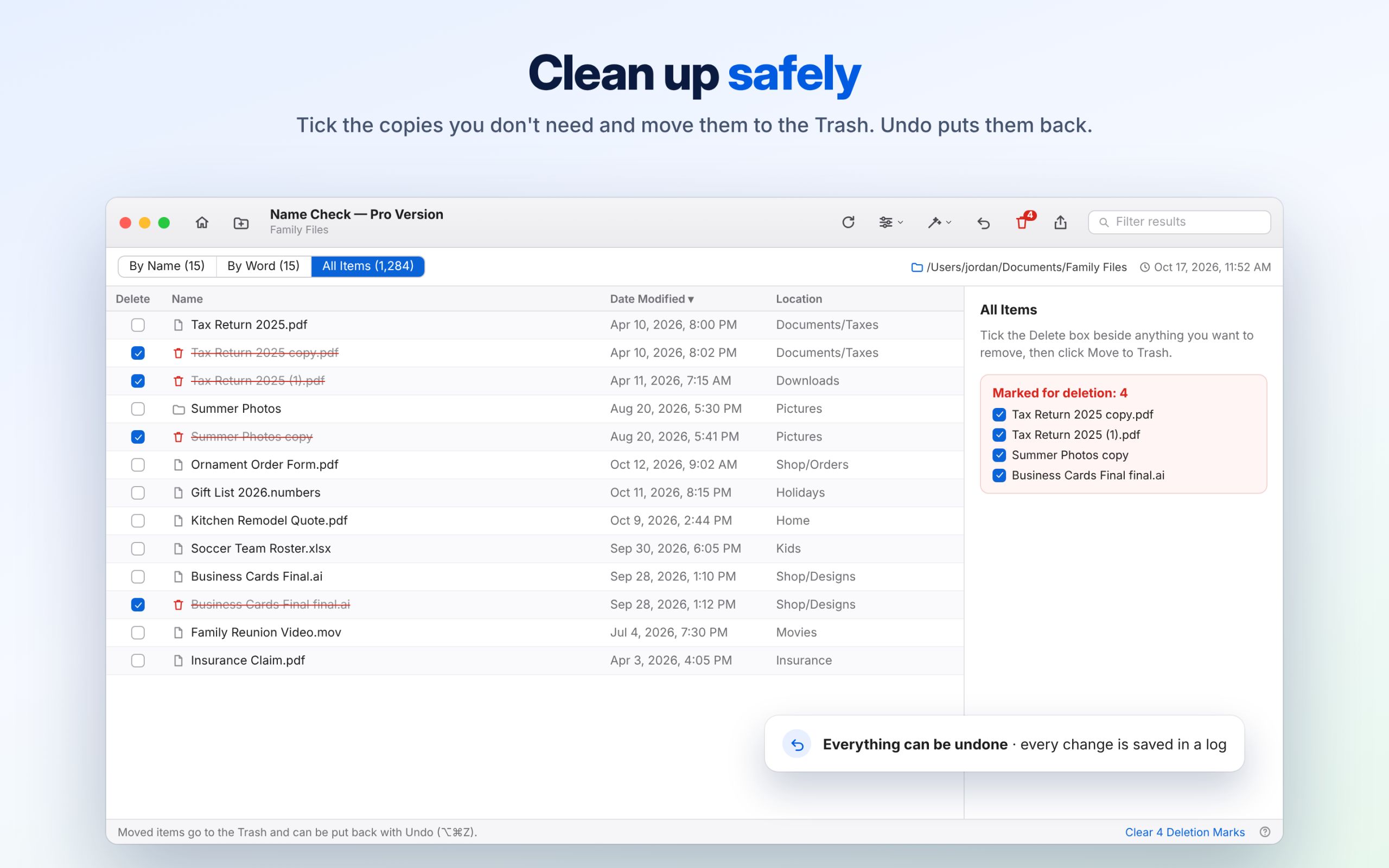
Tick the copies and clutter you don’t need, such as “Report copy.pdf”, and move them to the Trash in one step. Undo reverses any rename or deletion, and every change is recorded in a log you can open any time.
YOUR WORDS, YOUR WAY
Add family names, business names and product codes to My Word List so they’re never flagged. Check names in English, Spanish, French or German, and skip folders you never want touched. Protected system folders are always left alone.
PRIVATE BY DESIGN
Name Check works entirely on your Mac. Your files and file names are never uploaded or shared.
HOME SCREEN AND STATS
Home keeps every folder you’ve checked this session one click away, and lists every name change with Undo. Settings ▸ Stats counts the files and folders you’ve fixed.
Includes a built-in, searchable Help guide. Made by Armstrong Artistry (Leslie Armstrong) in Lavon, Texas.
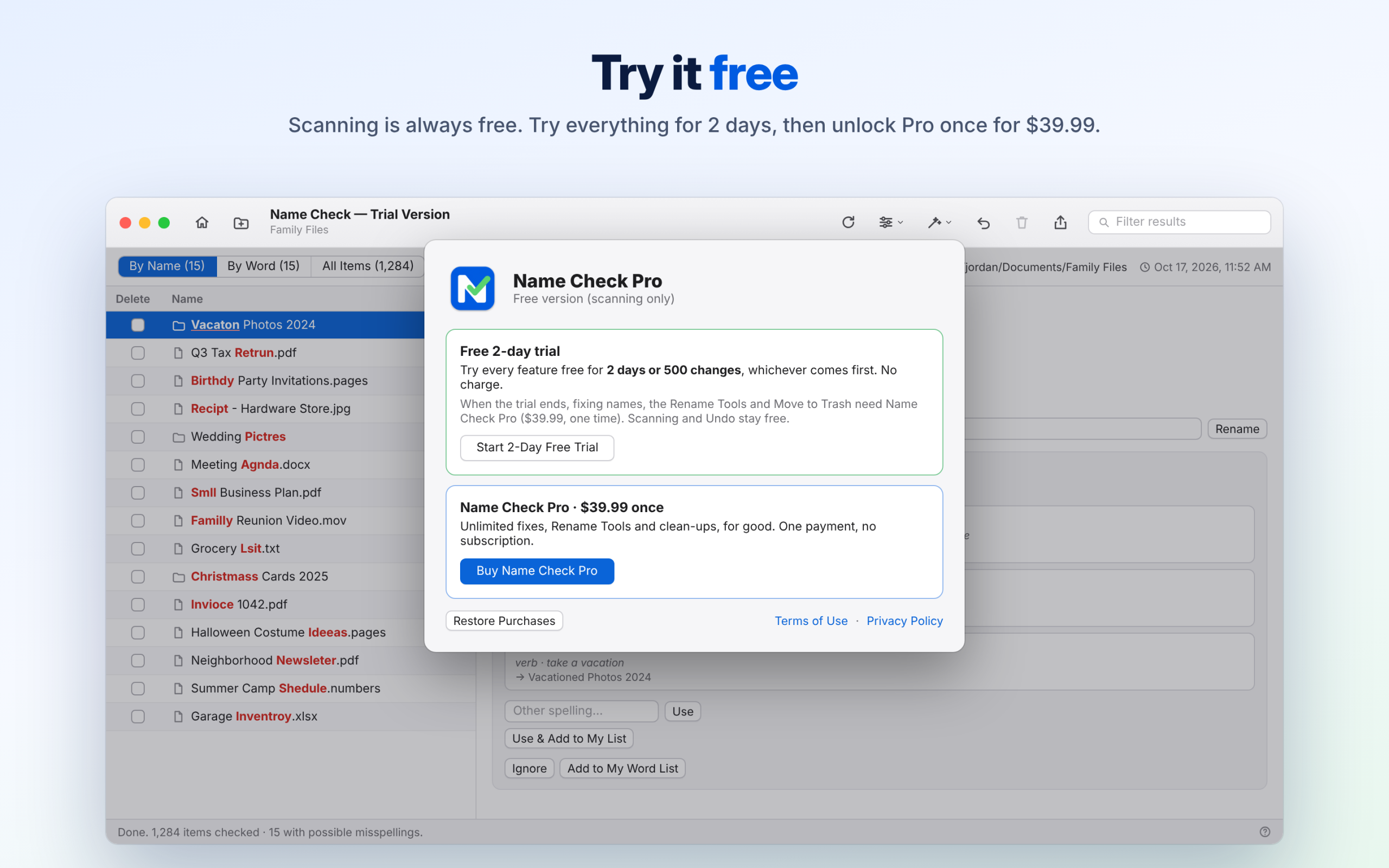
FREE TO SCAN, TRY EVERYTHING FREE
Name Check is free to download, and scanning is always free, so you can see every misspelled name first.
• Free 2-day trial: start it in the app to try every feature for 2 days or 500 changes, whichever comes first. No charge.
• Name Check Pro: a one-time in-app purchase of $39.99 unlocks fixing, the Rename Tools and Move to Trash for good. No subscription.
Prices may vary by country.
Support: sales@armstrongsfamily.com · 888-839-3907
Privacy Policy: https://armstrongsfamily.com/armstrong-software/#privacy
WHAT’S NEW IN 4.0
Welcome to Name Check on the Mac App Store!
• Misspelled words in red, right inside each file name.
• Suggestions with short dictionary definitions.
• Home screen with your open checks and every name change.
• Rename Tools: Find & Replace, Tidy Up, Change Case, Number & Date.
• English, Spanish, French and German.
• Free 2-day trial, then Name Check Pro with one purchase.
URLS
Support URL: https://armstrongsfamily.com/armstrong-software/#help
Marketing URL: https://armstrongsfamily.com/armstrong-software/
Privacy Policy: https://armstrongsfamily.com/armstrong-software/#privacy
Support contact (App Review Information): sales@armstrongsfamily.com · 888-839-3907
(Upload the Website folder first so these addresses work. Apple checks them.)
CATEGORY
Primary: Utilities · Secondary: Productivity
APP PRIVACY (“Nutrition label”)
Data Not Collected. Name Check doesn’t collect, upload or share any data.
COPYRIGHT
© 2026 Armstrong Artistry (Leslie Armstrong)
